Gantt Software for Manufacturing Projects
Manufacturing teams use Instagantt to coordinate every stage of production on a visual Gantt chart. Connect procurement, assembly, quality inspection, and shipping into one timeline with dependencies that automatically adjust when schedules change. Prevent costly downtime and deliver on time.





Trusted by 25,000+ Teams across the Globe
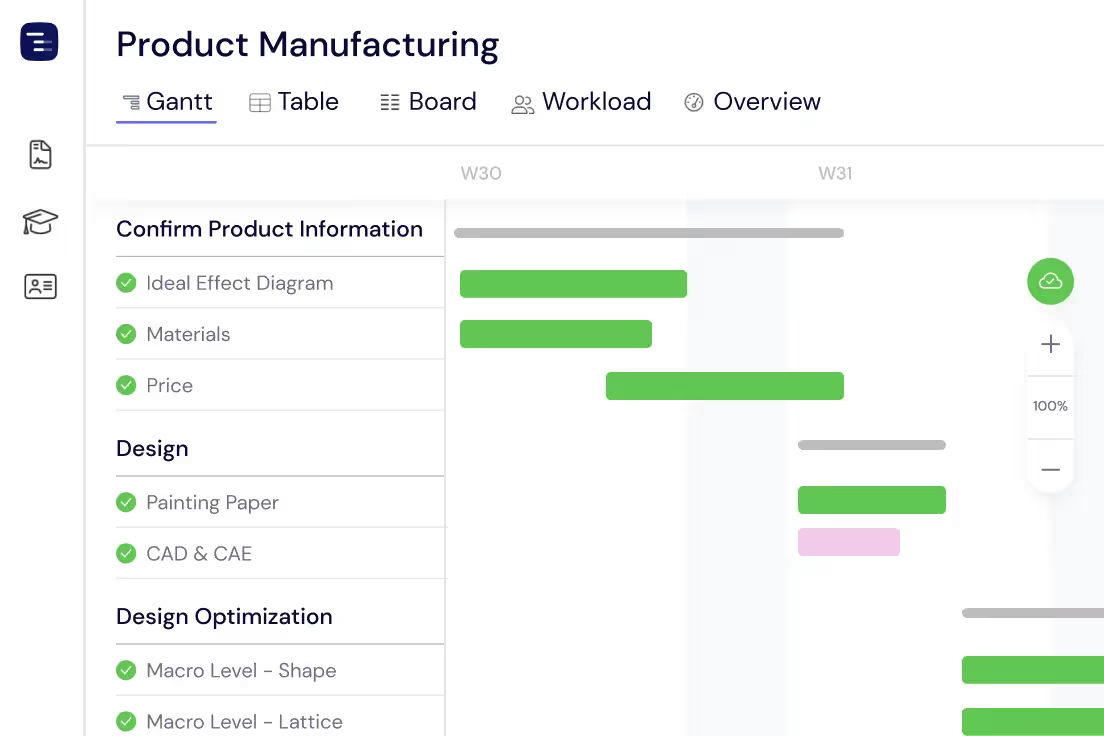
Plan Your Production Tasks
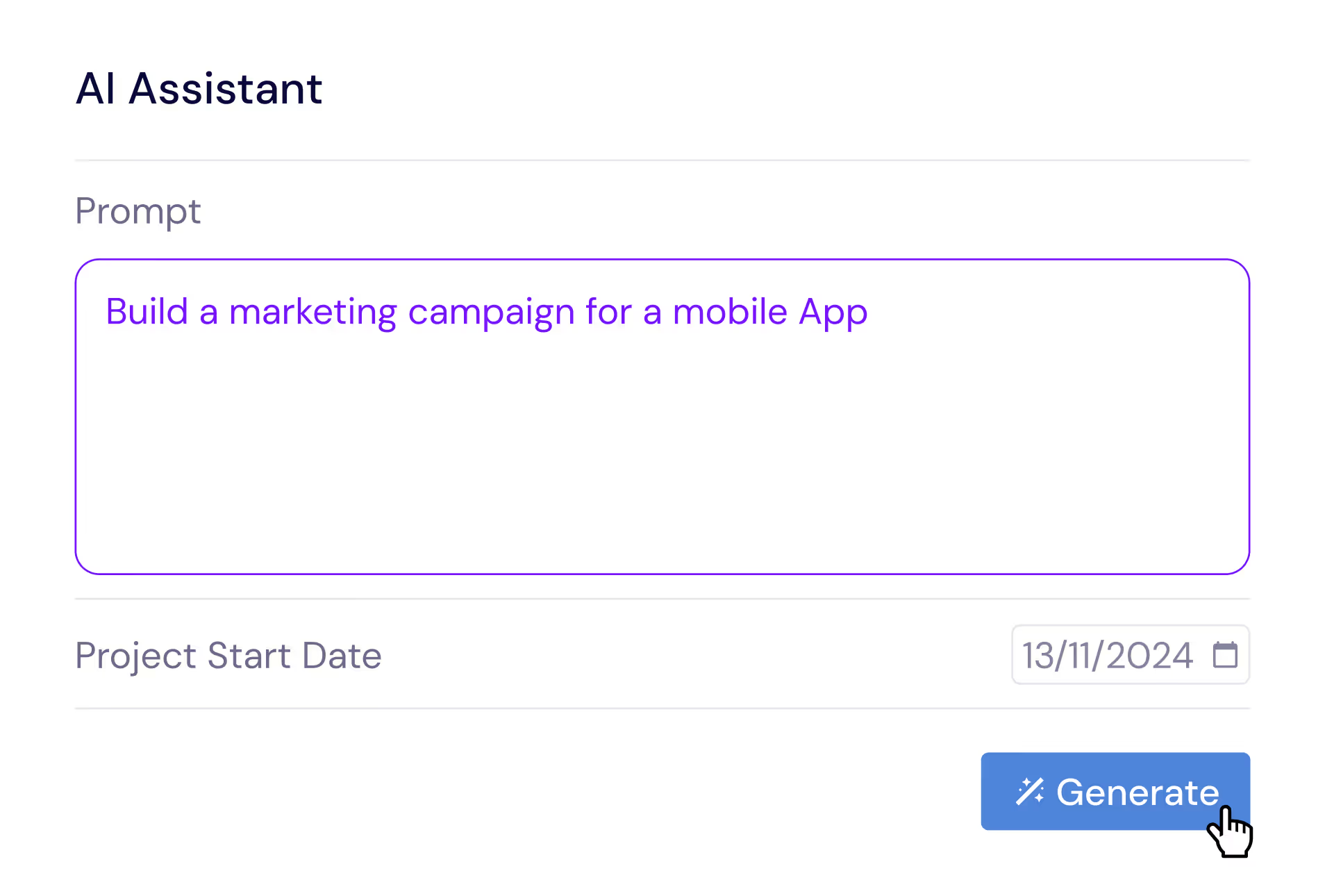
Break down production runs into manageable tasks and subtasks that map to your actual manufacturing workflow. Organize each phase — from raw material procurement and incoming inspection through machining, assembly, finishing, quality control, and packaging — into clear sections with deadlines, durations, and dependencies on your Gantt chart. Instagantt's drag-and-drop interface makes it easy to adjust production schedules when priorities shift or when material deliveries are delayed. Use the AI Assistant to generate initial production plan structures from a project description, then customize task details to match your specific manufacturing process.
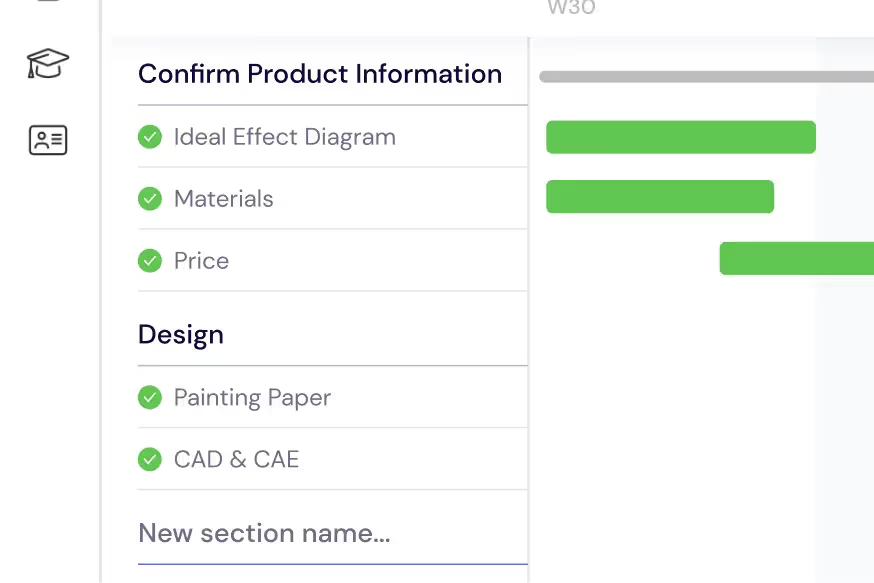
Manage Your Team & Equipment
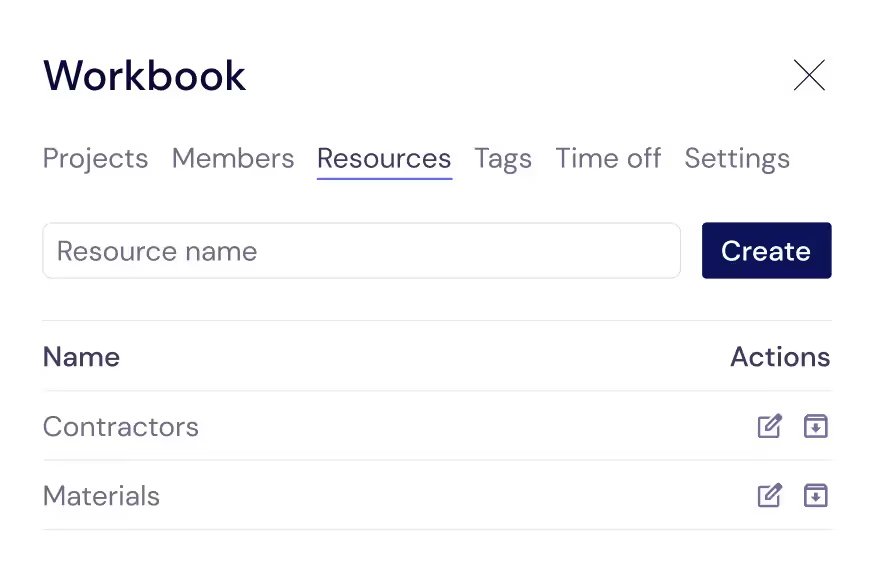
Go beyond tracking just team members and manage every resource that keeps your production line running — operators, machine tools, inspection equipment, contractors, and external suppliers. Assign resources to specific production tasks with estimated hours so you can see capacity utilization at a glance. When you need to add a shift, bring on temporary workers for a rush order, or schedule equipment for maintenance, Instagantt's workload visualization shows exactly where capacity is available and where conflicts exist. This comprehensive resource view prevents the double-booking and scheduling gaps that cause expensive production delays.
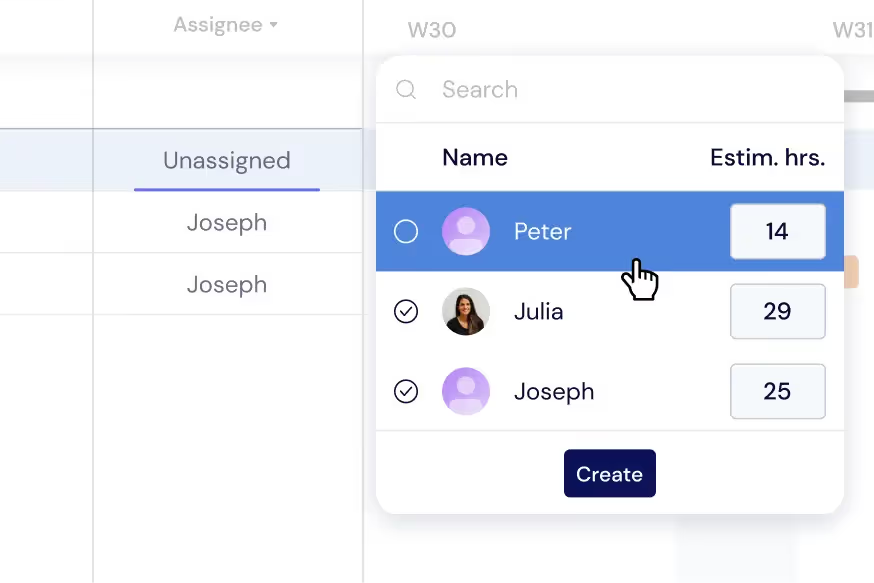
Balance the Production Workload
Distribute tasks across shifts, teams, and production lines to prevent bottlenecks and maintain steady throughput. Monitor operator and machine workloads directly on your Gantt chart — color-coded indicators show when resources are at capacity, underutilized, or overallocated. Switch to the dedicated Workload View for a comprehensive dashboard that makes it easy to rebalance assignments across active production runs in real time. Balanced workloads reduce overtime costs, minimize equipment wear, and ensure consistent product quality across all shifts.
Get a Plant-Wide Overview
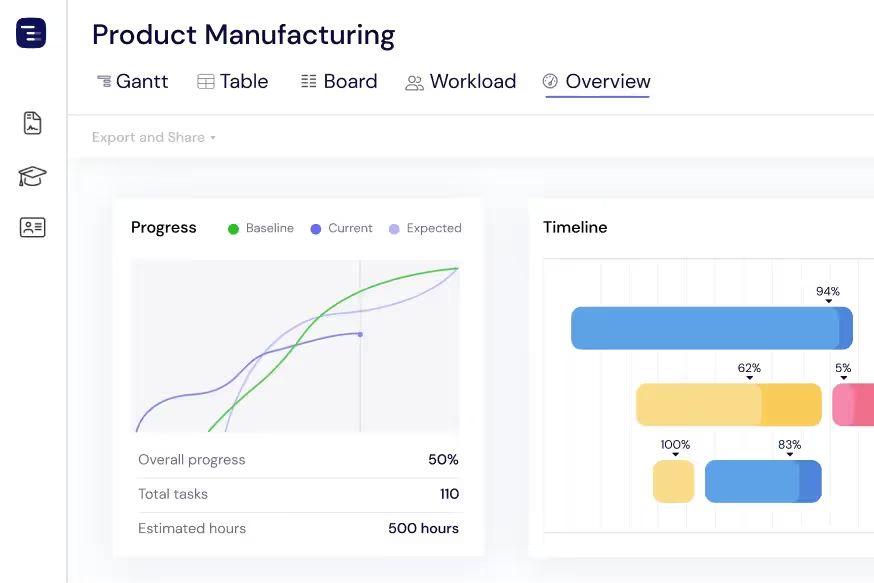
See every production line, active order, and maintenance project at a glance with the Overview View. Monitor production progress against delivery commitments, track upcoming quality milestones, and review resource utilization without getting lost in task-level details. Switch between Gantt, Table, and Board views depending on the information you need. The Overview View is invaluable during daily production meetings, weekly planning sessions, and executive reviews where plant managers need to communicate production status quickly and make data-driven decisions about priorities.
Share Progress with Stakeholders
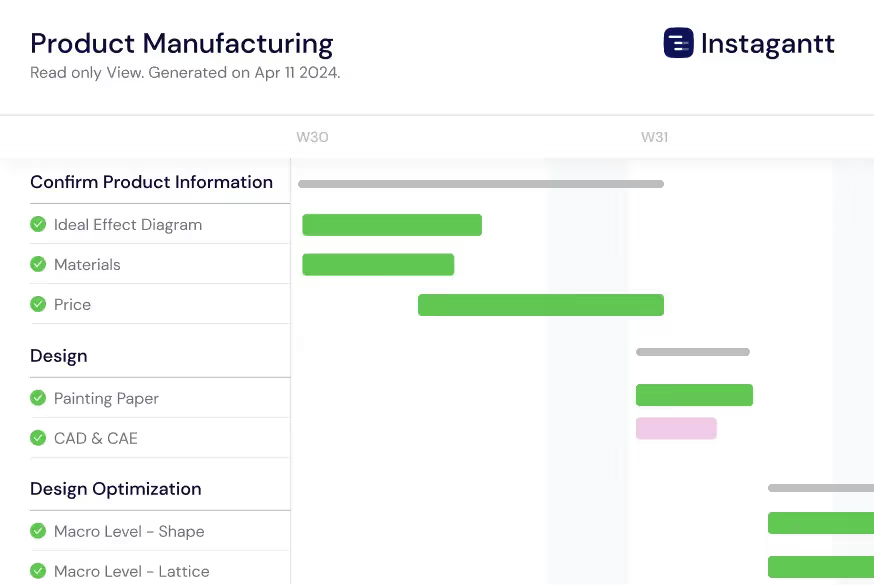
Export production schedules as PDF for management presentations, PNG for visual reports, or spreadsheets for detailed analysis and ERP integration. Instagantt's Public Snapshot feature is particularly valuable for manufacturing organizations — generate a shareable URL that gives plant managers, clients, and key suppliers a live, read-only view of your production timeline. Customers can check delivery status without calling your team, and suppliers can see upcoming material requirements without manual communication. This transparency builds trust and reduces the administrative burden of status reporting.
Track Quality and Compliance Milestones
Set quality assurance checkpoints, regulatory inspections, and certification milestones throughout your production timeline. Connect QA gates to production phases with dependencies so downstream work cannot proceed until quality checks pass. Track ISO certification timelines, FDA compliance deadlines, and industry-specific regulatory requirements alongside your production schedule. When an inspection reveals a defect, immediately see the impact on downstream operations and delivery commitments. This proactive quality tracking helps manufacturing teams catch issues early, reduce rework costs, and maintain compliance with industry standards.
Coordinate Supply Chain Dependencies
Map your entire supply chain on the Gantt chart by linking material procurement, supplier deliveries, and inventory management to production tasks. See which materials are on order, which suppliers have confirmed delivery dates, and which raw materials are at risk of delay. When a supplier pushes back a delivery date, the production tasks that depend on that material automatically adjust, giving you an immediate view of the impact on your production schedule and customer commitments. This supply chain visibility helps procurement teams prioritize vendor follow-ups and identify alternative sourcing options before shortages halt production.
Plan Equipment Maintenance Windows
Schedule preventive maintenance, equipment calibration, and facility upgrades alongside your production runs to minimize unplanned downtime. Visualize maintenance windows on the same Gantt chart as production schedules so you can plan maintenance during natural breaks between production runs rather than interrupting active orders. Track maintenance dependencies — technician availability, spare parts procurement, and vendor service appointments — to ensure everything is ready when the maintenance window opens. Proactive maintenance planning reduces emergency repair costs and extends equipment lifespan.
AI-Powered Production Planning
Describe your manufacturing project in plain English and let the AI Assistant generate a complete production plan with tasks, subtasks, estimated durations, and dependencies. Say something like 'Plan a production run for 5000 units with procurement, machining, assembly, quality inspection, packaging, and shipping phases' and receive a professional production schedule in seconds. Refine the generated plan with follow-up prompts, then save it as a template for similar production runs. The AI understands manufacturing concepts like lead times, batch processing, and sequential quality gates and multi-stage inspection workflows.
Multi-Shift and Multi-Line Scheduling
Manage production across multiple shifts, production lines, and facilities on a single Gantt chart. Assign operators and equipment to specific shifts, visualize capacity by line and shift, and identify opportunities to move work between lines to optimize throughput. For multi-plant operations, use workbooks to group facility-specific projects while maintaining cross-plant visibility. This multi-dimensional scheduling capability is essential for manufacturing organizations that need to maximize production capacity while maintaining quality standards across all shifts and facilities.
Delivery Coordination and Customer Commitments
Track outbound logistics and coordinate delivery schedules with customer commitments on your production timeline. Link finished goods milestones to shipping, customs clearance, and delivery tasks so you can see the end-to-end timeline from raw material arrival through customer delivery. When production delays occur, immediately assess the impact on delivery dates and communicate proactively with customers about revised timelines. This delivery visibility helps sales teams set accurate expectations and customer success teams manage relationships during schedule changes.
Multiple Views for Manufacturing Data
Switch between Gantt chart, Table View, Board View, and Overview depending on the information you need. Use the Gantt chart for production scheduling and dependency management, the Table View for detailed data analysis and inventory tracking, the Board View for visual work-in-progress management, and the Overview for plant-wide status reporting. Each view shows the same production data from a different perspective, making it easy to communicate with different audiences — shop floor managers, quality engineers, procurement teams, and executive leadership.